
Download
Take Winbox With You
Get the app for faster load times, push alerts on promotions, and one-tap access to every game.

Download for iOS & Android
No app store search needed — grab the official installer below, or add Winbox straight to your home screen from your mobile browser. The app mirrors the full browser experience, just faster to open and with a couple of extras like push notifications layered on top.
 Android Download
 iOS Download
- Version
- 2026.07.001
- Category
- Gaming, e-wallet
- Size
- ~36 MB
- Compatibility
- iOS 13+ / Android 8+
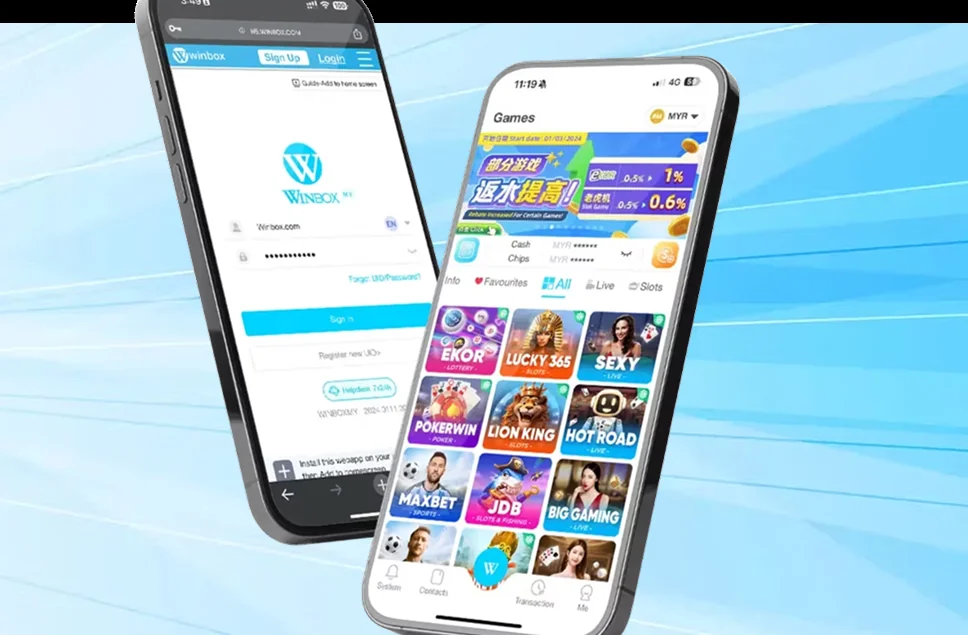
How to Install
Tap the Android or iOS download button above from your mobile device.
Follow the on-screen prompts to install or add Winbox to your home screen.
Open the app, log in or register, and start playing right away.
System Requirements
iOS
iOS 13 or later, roughly 40 MB of free storage, and a stable internet connection for streaming live casino tables.
Android
Android 8.0 or later, roughly 40 MB of free storage, and "install from unknown sources" enabled for the download source.
Step-by-Step Installation
Installing on iOS
- 1Tap the iOS Download button above from your iPhone or iPad.
- 2If a browser prompt appears asking to allow the download, confirm it.
- 3Open Settings > General > VPN & Device Management and trust the Winbox profile if prompted.
- 4Return to your home screen and tap the Winbox icon to launch it.
Installing on Android
- 1Tap the Android Download button above from your device.
- 2If prompted, allow installation from this source in your browser or system settings.
- 3Open the downloaded file and tap Install.
- 4Launch Winbox from your home screen or app drawer once installation finishes.
Data & Battery Usage
A few things worth knowing about how the app behaves on your device over time.
Data usage
Live casino and video-heavy slots use more data than lottery or simple table games — Wi-Fi is recommended for extended live casino sessions.
Battery usage
The app is built to run efficiently in the background, but live video streams and long sessions will use more battery than browsing or lottery betting.
Storage over time
The app itself stays close to its install size — it doesn't grow significantly with use, since game assets stream rather than download permanently.
Installation Troubleshooting
Download won't start
Check your browser isn't blocking downloads, and confirm you have enough free storage before trying again.
"Untrusted developer" warning on iOS
This is expected for installers outside the App Store — trust the profile in Settings > General > VPN & Device Management.
Android blocks the install
Enable "install from unknown sources" for your browser in Android settings, then try installing the file again.
App won't open after installing
Restart your device and try again — this resolves most first-launch issues after a fresh install.
Why Download the App
Faster load times
The app skips browser overhead, so games and pages open quicker than a mobile site.
Push alerts
Get notified about new promotions and bonus reminders without needing to check the site manually.
One-tap access
A home-screen icon gets you straight into your account, no need to type a URL or search for the site.
Same account, synced
Balance, betting history and settings stay in sync whether you're on the app or a browser.
App vs. Mobile Browser
| Aspect | App | Mobile Browser |
|---|---|---|
| Installation | One-time download | None needed |
| Storage used | ~36 MB | None |
| Load speed | Faster after first launch | Fast, no install wait |
| Notifications | Push alerts available | None |
| Game access | Full library | Full library |
Frequently Asked Questions
Do I need the app to play, or does the browser work fine?+
The browser version has the full game library, every promotion, and the complete account dashboard. The app is an optional, faster way to access the same account.
Is the Winbox app available on the App Store or Google Play?+
The installer is provided directly from this page rather than an app store listing — download it using the buttons above from your mobile device.
How much storage does the app use?+
The installer is roughly 36 MB, and typical storage use after installation is in a similar range.
Will my account carry over if I switch between the app and browser?+
Yes — your balance, betting history and settings are tied to your account, not the device or app you're using, so everything stays in sync.
What devices are supported?+
The app supports iOS 13+ and Android 8+. Older devices should still work fine through the mobile browser version.
Why does iOS show an "untrusted developer" warning?+
This is standard for any installer distributed outside the App Store. Trusting the developer profile in Settings resolves it and only needs to be done once.
Do I need to enable anything on Android before installing?+
Most Android devices require you to allow installation from the source you're downloading from — your browser will usually prompt you to enable this automatically.
Will the app notify me about new promotions?+
Yes — push notifications can alert you to new promotions and bonus reminders, which the mobile browser version doesn't support.
Can I uninstall and reinstall the app without losing my account?+
Yes — your account lives on Winbox's servers, not on your device, so reinstalling the app doesn't affect your balance, history or settings.
Does the app use more data than the mobile browser?+
Data usage is similar for most game categories — live casino and video-heavy slots use the most data on either the app or browser, since the difference is streaming content, not the platform itself.
Can I use the app and browser at the same time on different devices?+
Yes — you can be logged into the app on one device and the browser on another simultaneously, with your balance and history staying in sync across both.
Can I install the app on more than one device?+
Yes — since your account is stored on Winbox's servers rather than tied to a single device, you can install the app on multiple phones or tablets and log in with the same account on each one.
Do I need to update the app manually?+
Update prompts will appear when a new version is available — following them keeps you on the latest version with any bug fixes or improvements included.
Is the app safe to install outside the App Store or Google Play?+
The installer is provided directly from this official page rather than a third-party source, which is why iOS and Android show a one-time trust prompt during setup — this is normal and expected for installers distributed outside an app store.
Ready to Play?
Register now and take Winbox with you wherever you go.